Hosted & teams · Private beta
Traffic & inspection
Find the request. Follow its story.
The paper trail.
The traffic view puts the source, event, destination, status, and timing on one row. Filter by status or search for a PR, event, or destination. Select an event to see its route explanation beside it.
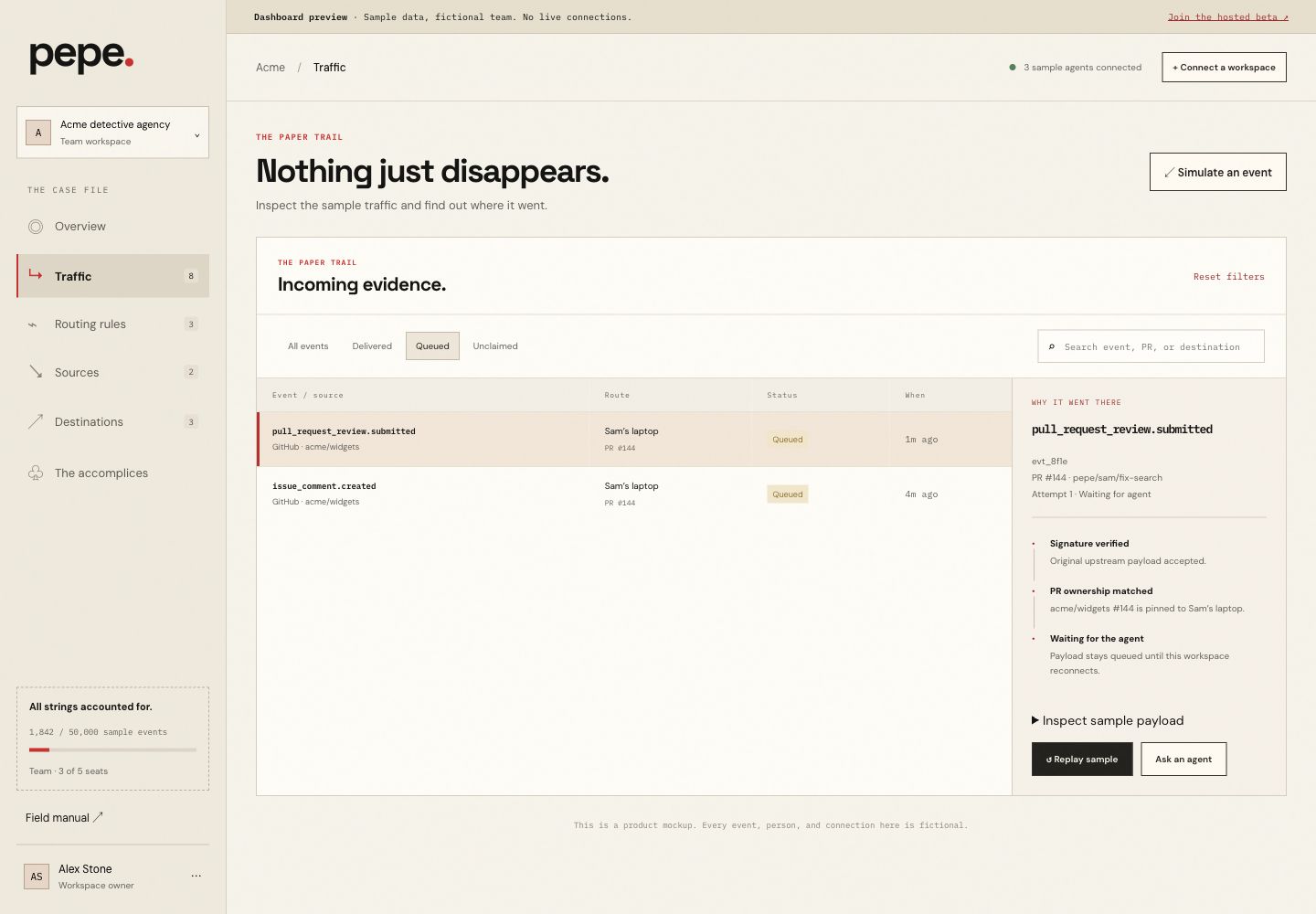
Three statuses. No guessing.
| Status | What it means |
|---|---|
| Delivered | The destination accepted the delivery and it was acknowledged. |
| Queued | A destination is known, but the event is waiting for successful delivery. |
| Unclaimed | No workspace owns the request yet. The event stays available for inspection; it is not broadcast. |
Why did it go there?
The inspector connects the evidence: signature validation, the matching PR owner or OAuth transaction, the selected destination, and the delivery result. You can see the routing decision without reconstructing it from logs.
Pull the same thread again.
Replay uses the stored original webhook payload. The upstream delivery ID stays the same and the attempt number increases. Claim an unclaimed PR first, then replay its stored event. OAuth callbacks remain single-use.
The screenshots are static. To try the controls with sample events, open the interactive traffic demo ↗.